Mastering Your Etsy Visuals: The Ultimate Canva Mockup Guide
Stop Guessing, Start Designing with Professional Assets
If you run an Etsy shop, you know the struggle is real. You pour hours into creating a digital product—a planner, a wall art print, a social media template—only to hit a wall when it comes to the listing image. That crucial photo is your first and often only chance to convince a shopper to click. Blurry, poorly lit, or generic mockups can sink a fantastic product. This is where a dedicated resource like the US Letter Etsy Canva Bundle shifts from being a nice-to-have to an essential tool in your design arsenal. It’s not about flashy graphics; it’s about solving the practical, time-consuming problem of creating consistent, professional-looking listings that actually convert.
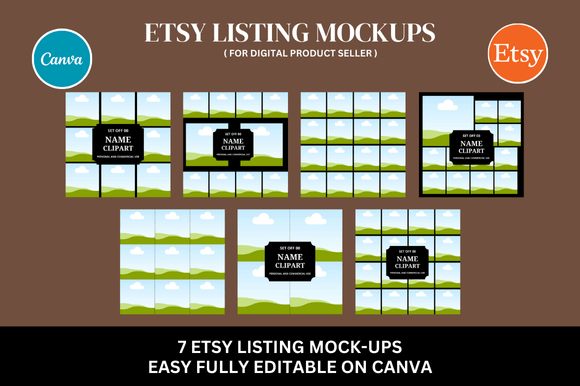
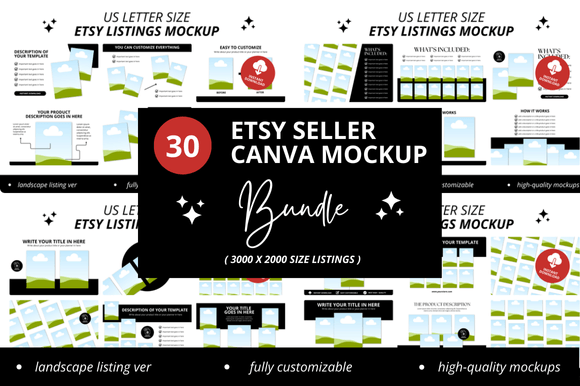
This particular bundle, featuring 30 Etsy Listing Canva Mockups at a generous 3000x2000 pixel resolution, is built for the busy seller. Think of it as your visual toolkit. The core appeal isn't just the number of files, but their practical application within Canva. You're not getting static images you can't edit. You're getting a direct link to customizable templates where you can drag and drop your own digital product designs onto pre-styled scenes. This approach respects your time. Instead of learning complex 3D software or hiring a photographer for every new item, you can generate a cohesive set of listing images in minutes. The visual personality here is clean, modern, and product-focused. The backgrounds are typically neutral or softly textured, allowing your actual design to be the undisputed hero. The style avoids distracting clutter, which is critical for the Etsy search results page where your thumbnail competes in a sea of others.
Real-World Applications for Sellers and Creators
So, where does a bundle like this truly shine? Its strength lies in consistency. Imagine launching a new line of printable planners. Using the same set of mockup styles from the US Letter Etsy Canva Bundle across all your listings creates instant visual harmony in your shop. This isn't just about looking pretty; it's a core component of brand identity. A cohesive look builds recognition and trust, signaling professionalism to potential buyers. Shoppers learn to associate that clean, styled presentation with your shop's quality before they even read the description.
Beyond the Etsy shop, these templates are versatile design assets. Use them for your social media graphics on Instagram or Pinterest. A flat-lay mockup of your new digital journal makes for a far more engaging post than a simple screenshot. For bloggers or content creators, they are perfect for creating featured images that showcase a printable you’ve designed or are promoting. Even for personal projects, like organizing a family reunion with custom invitations, having a professional way to display your work adds a layer of satisfaction. The key is to evaluate the mockup's style against your product's personality. A minimalist, sans-serif resume template will look out of place on a rustic, wooden table mockup. Look for scenes that complement your design's era, mood, and target audience.
Smart Design Choices: Pairings, Testing, and Licensing
When you dive into the Canva templates, the real design work begins. You’re not just pasting your image in; you’re making strategic choices. Consider the visual hierarchy of your listing image. The mockup provides the context, but your product is the star. Ensure it’s sized and placed prominently. Think about adding a small, elegant text overlay with your shop name or a key benefit—but don’t overdo it. Let the mockup do the heavy lifting of presenting your work in a tangible, real-world context.
A crucial, often overlooked step is testing. Don’t just settle on the first mockup that looks decent. Create two or three variations for a single product listing. Does a straight-on, flat-lay view perform better than a slight perspective shot? Does a mockup with a hand holding a tablet showing your digital planner feel more relatable to your audience than one on a desk? The beauty of the Canva link is this experimentation is fast and free. You can A/B test your main listing image directly on Etsy to see what drives more clicks.
Finally, understand what you’re getting with this instant download. The bundle includes a commercial license, which is non-negotiable for anyone selling products. This means you can use the mockups to create images for your Etsy listings, your own website, and social media without legal worry. It’s a premium font pack for your visuals, giving you access to a style that would otherwise require custom photography or expensive standalone mockup subscriptions. The bonus freebies mentioned are often extra scenes or style variations, adding further value. Remember, the goal of these templates is to save you hours, allowing you to reinvest that time into creating more products and serving your customers. They are a practical solution to a universal seller problem, designed to make your digital shop look as good as the products you sell.